China’s indoor LED market rewards more than bright cabinets and attractive showroom demos. Buyers must compare pixel pitch, refresh rate, color consistency, service access, and performance at the actual viewing distance. Tiny differences become obvious on a control-room wall or a retail display viewed from several feet away.
Grand View Research estimated the global LED display market at US$7.10 billion in 2023 and forecast a compound annual growth rate of 11.7% from 2024 to 2030. That figure covers more than indoor screens, so it should not be treated as a China-only market estimate. The caveat matters. For a useful shortlist, this guide considers established Chinese suppliers such as Leyard, Unilumin, Absen, LianTronics, and ROE Visual, while distinguishing product range from project suitability. Display Supply Chain Consultants founder Ross Young’s market-focused commentary offers a practical takeaway, paraphrased here: match display technology to the application, rather than choosing by headline specifications alone. Pixel pitch matters.
There is no universally “top” manufacturer for every venue. A conference room, broadcast studio, and shopping-mall atrium place different demands on brightness, maintenance, and image quality. Not just price. The comparisons ahead examine those trade-offs, along with available product information and support considerations. Manufacturer claims deserve verification against technical documentation, samples, and project references. Some details remain difficult to compare across brands. That is worth acknowledging, not glossing over.
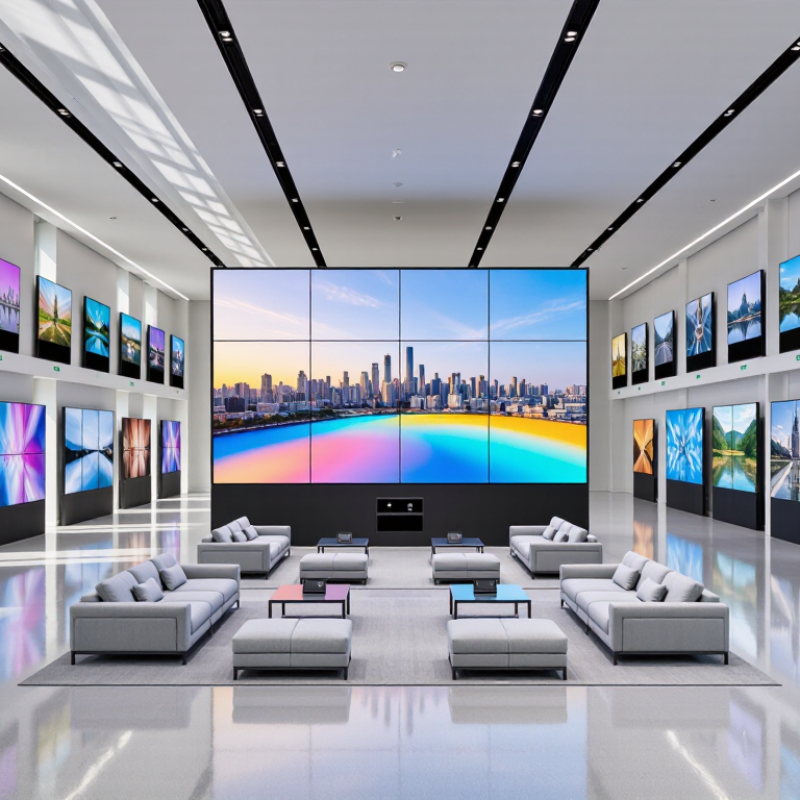
Indoor LED screens commonly use pixel pitches from P0.9 to P2.5. The number describes the distance, in millimeters, between neighboring pixels. Smaller pitches pack more pixels into the same area. That can make fine text and detailed graphics look smoother at close range.
Up close, every pixel matters. A P0.9 screen may suit a compact control room or premium meeting space, where viewers sit near the display. It also requires careful installation and calibration. Dense panels can cost more, and small alignment errors may be noticeable.
P1.2 to P1.8 often offers a practical balance for lobbies, studios, and conference rooms. P2.0 to P2.5 can work well in larger rooms, where viewers stand or sit farther away. These are useful starting points, not fixed rules; screen size, content, and viewing distance all affect the result.
A sample panel is worth examining with real content. Check small labels, skin tones, and dark scenes under the room’s actual lighting. Brightness matters, but excessive brightness can feel harsh indoors.
There is no perfect pitch for every space. One detail is easy to overlook: the finest pitch may not improve the experience if viewers remain far from the screen. I would still verify the viewing distance before choosing.
For indoor LED screens, 3,840 Hz describes how often the display refreshes, not its video frame rate. That distinction matters. A 60-frame-per-second camera filming a stage wall may still show rolling bands, depending on shutter speed, scan method, and brightness settings. The International Committee for Display Metrology’s Information Display Measurements Standard provides procedures for evaluating display characteristics; a single headline specification cannot replace measured performance. Ask for test conditions, including brightness and scan configuration.
A 14-bit grayscale signal offers 16,384 code values, calculated as 214. More steps can help preserve subtle gradients, such as a dim gray fade across a conference-room backdrop. But extra bit depth alone does not guarantee smooth output: processing, calibration, and panel consistency matter too. IEEE 1789-2015 evaluates light modulation in relation to frequency, so refresh rate by itself is not a complete flicker assessment. Specs can flatter. Request camera tests at realistic shutter speeds, plus grayscale ramps viewed at low brightness. A slightly uneven ramp is worth investigating.
China’s indoor LED market includes several established manufacturers with broad product portfolios. Their strengths can differ across fine-pitch displays, rental-ready panels, control systems, and project support. A useful comparison goes beyond headline resolution. Check pixel pitch, refresh rate, grayscale performance, cabinet flatness, and service coverage under consistent test conditions. Small details matter. A close-up demonstration may reveal uneven color or visible seams that a showroom video misses.
For offices, control rooms, retail spaces, and broadcast studios, viewing distance helps determine the right pixel pitch. A tighter pitch can improve detail, but it may also raise costs and calibration demands. Ask for measured brightness and refresh data, not just peak figures. Request a sample cabinet and inspect it from a normal viewing distance. Test low-gray images, skin tones, and fast motion. Results vary by configuration.
The five major suppliers in this market are not interchangeable, even when their brochures sound similar. Compare installation references, spare-part policies, warranty terms, and local technician availability. Ask who handles calibration after installation. Get the answer in writing. Published specifications rarely show how a display performs after years of operation. I would treat one demonstration as evidence, not proof, and verify performance through a site visit or independent testing when possible.
This chart illustrates a common rule of thumb for indoor LED displays: a pixel pitch of 1 mm corresponds to an approximate minimum viewing distance of 1 m. Actual viewing comfort varies with content, installation, and audience preferences; consult a display specialist for project-specific recommendations.
When comparing indoor LED screen manufacturers in China, pixel pitch deserves close attention. A 1 mm pitch often suits viewers standing about 1 m away. At that range, individual pixels are less noticeable, and images can appear smooth. This is a useful starting point, not a fixed rule. Room lighting, content, eyesight, and viewing time all affect comfort.
Check the screen from the distance people will actually use it. Stand roughly 1 m away and read small text, inspect a person’s face, and watch a moving scene.
Look for visible pixel structure, uneven brightness, or details that blur together. Small text reveals problems quickly. So does motion.
A bright showroom may also hide issues that become obvious in a dim meeting room.
Ask for a live demonstration using content similar to your own, rather than relying only on a specification sheet. Confirm the stated pixel pitch and view the screen from several angles. A 1 mm pitch may be unnecessarily fine for viewers who sit much farther away, while close-up work can demand careful testing. I would not choose by pitch alone; room layout and real viewing conditions are easy to underestimate.
When comparing indoor LED screen manufacturers in China, ask for measured data, not only a bright product photo. Brightness should be stated in nits and matched to the intended room. A screen for a sunlit lobby may need more output than one used in a dim conference room. Ask whether the quoted figure is typical or maximum, and request a recent test report. Small detail, big difference.
Power specifications need the same care. Request average and peak consumption per square meter, plus the voltage and test pattern used. Peak figures affect circuit planning; average use shapes operating costs. If two quotes list different test conditions, their numbers are not directly comparable. I have seen comparisons go wrong here. The spreadsheet looked precise, but the assumptions were not.
Check cabinet dimensions, weight, and access method against the installation path. A cabinet that fits the wall may still be awkward to move through a narrow lift or service corridor. Ask for pixel pitch, cabinet tolerances, front or rear service access, and spare-unit availability. Warranty terms should state duration, response time, shipping responsibility, and parts or labor exclusions. Get these in writing. Suppliers should explain how they verify brightness and power readings; vague answers deserve a second question.
Compare suppliers using the specifications for the exact indoor LED model being quoted. The anonymized configurations below show representative product categories and typical specification ranges; they are not verified data for individual manufacturers.
| Indoor Product Category | Typical Pixel Pitch | Typical Brightness | Maximum Power | Typical Average Power | Common Cabinet Size Options | Warranty Comparison Point |
|---|---|---|---|---|---|---|
| Fine-pitch LED | 1.25–1.5 mm | 600–800 nits | 450–650 W/m² | 135–230 W/m² | 600 × 337.5 mm; 600 × 337.5 mm is commonly used for 16:9 layouts | Request a written term of 2–3 years and confirm parts, labor, and shipping coverage. |
| Fine-pitch LED | 1.8–1.9 mm | 600–800 nits | 450–650 W/m² | 135–230 W/m² | 600 × 337.5 mm; 640 × 480 mm | Check whether the warranty covers LED modules, receiving cards, and power supplies. |
| Standard indoor LED | 2.5 mm | 800–1,000 nits | 450–650 W/m² | 135–230 W/m² | 500 × 500 mm; 500 × 1,000 mm; 640 × 480 mm | Ask for the return or repair process, response time, and availability of spare parts. |
| Standard indoor LED | 3.0–3.9 mm | 800–1,200 nits | 400–600 W/m² | 120–210 W/m² | 500 × 500 mm; 500 × 1,000 mm; 960 × 960 mm | Compare the warranty duration and confirm whether pixel defects have a stated acceptance policy. |
| Large-format indoor LED | 4.0–5.0 mm | 800–1,200 nits | 400–600 W/m² | 120–210 W/m² | 500 × 500 mm; 500 × 1,000 mm; 960 × 960 mm | Request the warranty terms in the sales contract, including exclusions and service location. |
Note: Power consumption depends on brightness settings, image content, refresh rate, and cabinet design. Cabinet dimensions and warranty terms vary by product and supplier. Ask each supplier for a model-specific datasheet, measured power figures, and a complete written warranty before comparing quotations.
Pixel pitch measures the distance between neighboring pixels in millimeters. Smaller pitches place more pixels in the same area. Details look smoother up close.
P1.2 to P1.8 can be a practical starting point. Room size, content, and viewing distance still matter. Check a sample panel under actual room lighting.
P0.9 may suit compact control rooms or meeting spaces with close viewing. It needs careful installation and calibration. Small alignment errors can show.
It can work well when viewers sit or stand farther away. A finer pitch may add cost without improving what viewers notice. Check the distance first.
No. Camera results can depend on shutter speed, scan method, and brightness settings. Test with the intended camera. Specs alone are not enough.
It represents 16,384 code values and may help show subtle gradients. Processing and calibration also affect the image. More bits do not guarantee smooth output.
View small labels, skin tones, dark scenes, and grayscale ramps. Check them at low brightness and from a normal viewing distance. Look for uneven color.
Ask for measured performance and consistent test conditions. Check cabinet seams, service coverage, spare parts, and calibration support. One demonstration is not proof. I would verify again.
An Indoor Led Screen is designed for close viewing in offices, control rooms, retail spaces, and event venues. Common pixel pitches range from P0.9 to P2.5, with finer pitches generally suited to shorter viewing distances and more detailed images. As a practical guide, a screen with a 1 mm pixel pitch is often appropriate for viewers about 1 m away. Refresh rates around 3,840 Hz and 14-bit grayscale can help produce smoother motion and more nuanced color transitions, though performance should be assessed in the context of the intended use.
When comparing suppliers, look beyond headline specifications. Check brightness for the room’s lighting conditions, power consumption for ongoing operating costs, and cabinet dimensions for installation and maintenance needs. Review warranty coverage and service support as well, since these can affect long-term reliability. Matching the display’s pixel pitch and performance to the viewing distance, environment, and budget makes it easier to select a solution that meets practical requirements.